Luminaire
AI image generation with pre-built filters — so anyone can create, not just prompt engineers.
- Full Stack Developer & Designer
- 2025
- In progress
Summary
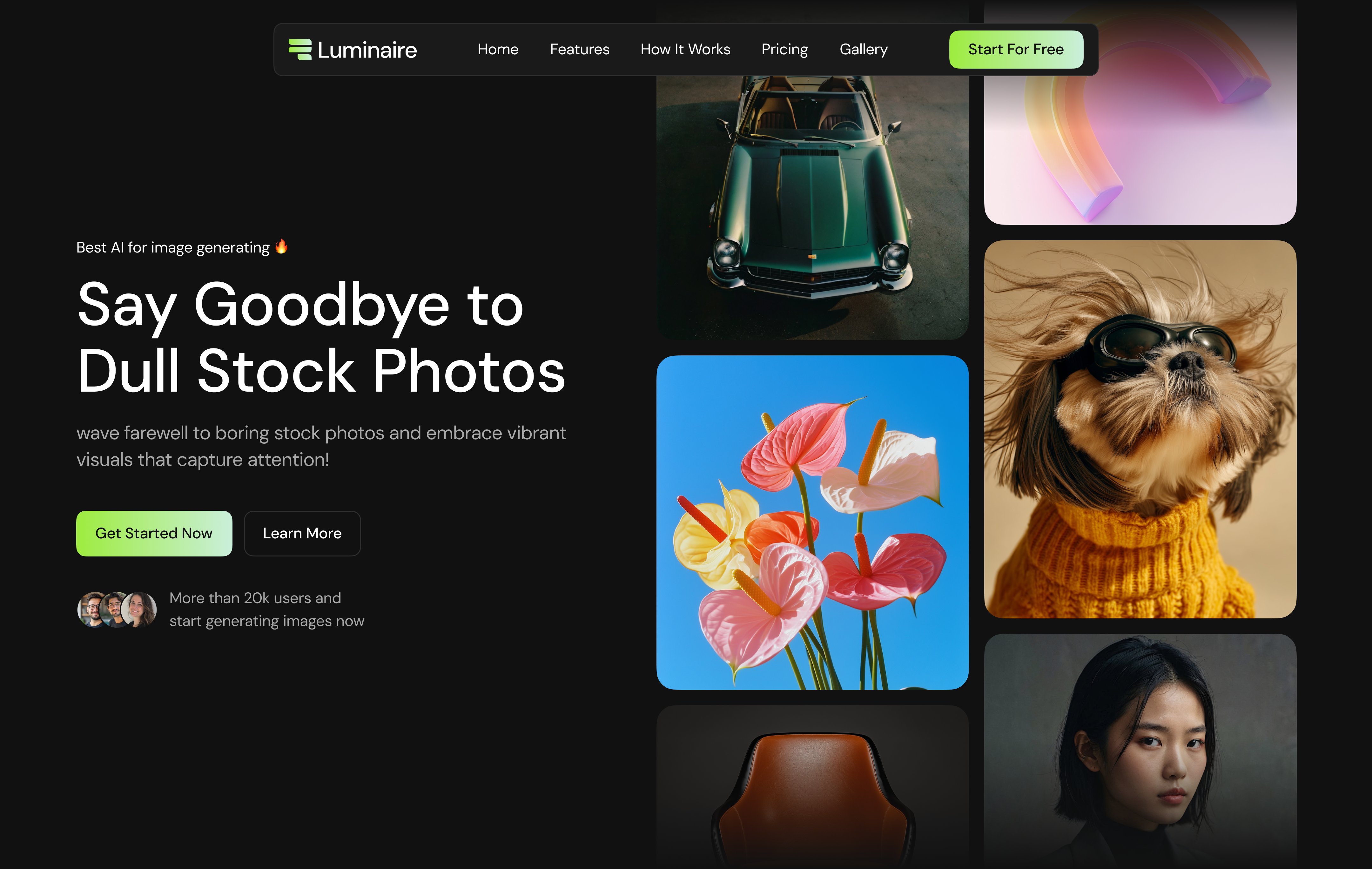
Luminaire is an AI image generation product built around a simple idea: most people do not know how to prompt well, but they know what they want to see. The app offers pre-built visual filters—styled presets that handle the prompt engineering behind the scenes—alongside a free-form prompt path for power users. I designed the interface in Figma and built the full stack with React, Node.js, TypeScript, and PostgreSQL.
- Pre-built filters lower the barrier for users who struggle with prompt writing
- Custom prompt generation for users who want full creative control
- End-to-end product design in Figma and full-stack implementation
- Chat-based workflow with model selection and generation history
Tech stack
Tools and technologies used to design, build, and ship this project.
- React
- Node.js
- TypeScript
- PostgreSQL

- Figma


Case studies
How we framed the problem, what we tried, and what changed.
01
Pre-built filters instead of blank prompts
Many users open an image AI tool, stare at an empty prompt box, and leave. Luminaire routes them through curated filters first.
- Challenge — Prompt engineering is a skill most casual creators do not have. Asking everyone to describe lighting, lens, style, and composition upfront creates friction and weak results.
- Approach — We designed a library of pre-built filters—visual presets like “3D abstract worlds,” “brand concepts,” and “motion-inspired portraits”—that encode strong prompts behind a single click. Users pick a filter, optionally tweak, and generate. Advanced users can still type a full custom prompt when they want.
- Outcome — The filter-first flow gives beginners a fast path to good output while keeping the product useful for experienced users who prefer raw prompting.
02
Designing the generation workspace
The UI combines chat history, model selection, and a gallery of popular prompts in one dark, focused workspace.
- Challenge — Image generation tools often feel like either a bare text box or an overwhelming pro tool. Luminaire needed to feel approachable without hiding power features.
- Approach — I prototyped the full experience in Figma—a sidebar for chat history, a central prompt surface with model picker, and a “popular image prompts” row that doubles as filter discovery. The visual language uses high contrast, soft glow accents, and clear hierarchy so generation feels like a creative studio, not a terminal.
- Outcome — A cohesive dashboard that supports both guided filter-based generation and open-ended prompting in the same session.
Let’s connect
I’m always open to discussing new projects, creative ideas, or opportunities to be part of your visions. Just reach out!